Wishlists
Lists of the cards you’re hunting for.
How to
What a wishlist is
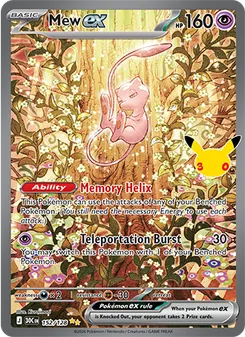 Mew ex 30th Celebration · 152/128Near Mint$96.26
TCGplayer · US market · Near Mint · October 18 based on 1506 sales Estimates from recent sales, not a valuation. We show the market where this kind of card mostly sells (TCGplayer for raw cards, eBay for slabs) unless another has at least twice its recent sales; with no recent sales anywhere, the most recent.
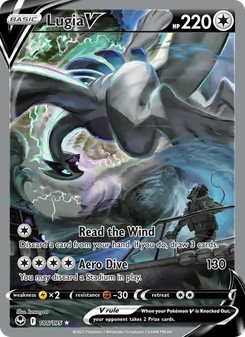 Lugia V Silver Tempest · 186/195Near Mint$470.70
TCGplayer · US market · Near Mint · October 18 based on 938 sales Estimates from recent sales, not a valuation. We show the market where this kind of card mostly sells (TCGplayer for raw cards, eBay for slabs) unless another has at least twice its recent sales; with no recent sales anywhere, the most recent.
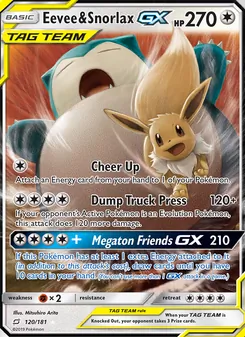 Eevee & Snorlax GX Team Up · 120/181Lightly Played$79.87
TCGplayer · US market · Lightly Played · October 18 based on 134 sales Estimates from recent sales, not a valuation. We show the market where this kind of card mostly sells (TCGplayer for raw cards, eBay for slabs) unless another has at least twice its recent sales; with no recent sales anywhere, the most recent.
A wishlist is a hunt: a set you are finishing, a Pokémon you collect, an era you love. You can have as many lists as you like. Cards on a list are cards you want, not cards you own.
Good to know
- Each card on a list shows what it is actually selling for, in the condition or grade you want, so you know what to expect. There are no price alerts and no target price.
Make a list
- Tap Wishlists, then New list (or Make a list the first time).
- Type a name, like WOTC or Totodiles, and tap Make the list.
Add a card to a list
- Way one: open a card from Search and tap Save to a list (or the round bookmark beside Add to collection).
- Way two: open a list and tap Add a card, then search for it.
- Choose which one you want: a Raw card in a condition, or a Graded slab with a company and grade. You can leave the grade open.
- Tap Add to the list.
Good to know
- The same card can be on a list twice, for example in Near Mint and as a PSA 10.
Got one? Move it to your collection
- Swipe the card to the right on the list, tap the card and then Acquired, or tap Edit and use the Acquired mark.
- Tap Add it.
Good to know
- It leaves the list and joins your collection with the condition or grade you wanted. Open it from Collection to add what you paid, where it lives and its story.
Change or remove things
- Tap a card on the list to change the condition or grade you want, or to remove it.
- Swipe a card to the left to delete it from the list.
- To rename or delete a whole list, open it and tap Edit.
- On the Wishlists tab, Edit lets you drag lists into a new order and delete them.
Good to know
- Deleting a list or a card from it never touches your collection.